How It Works
From token to published content in 4 steps.
- 1
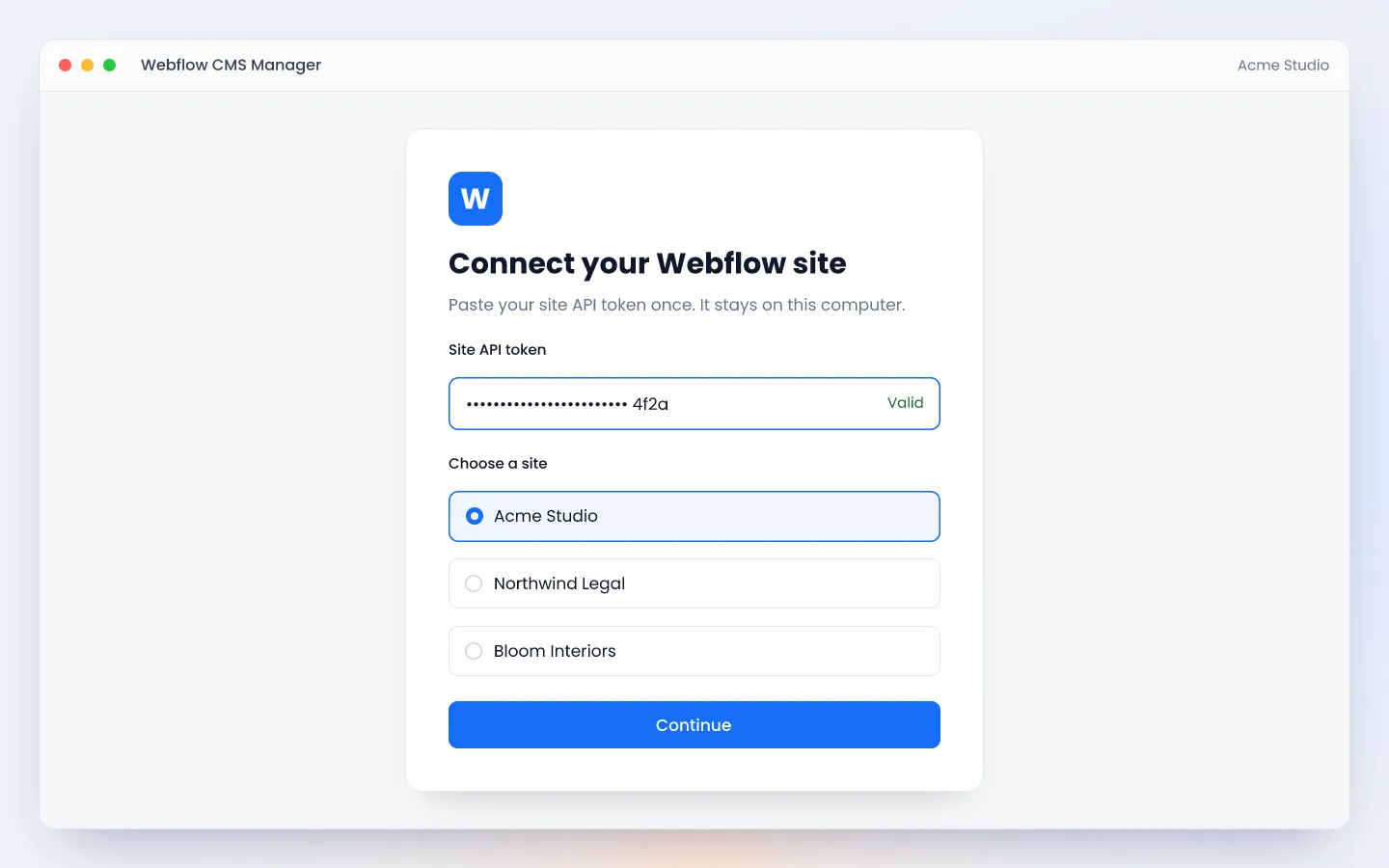
Connect your site
Paste a Webflow site API token once and choose the site. The token is saved in the computer's secure keyring.
- 2
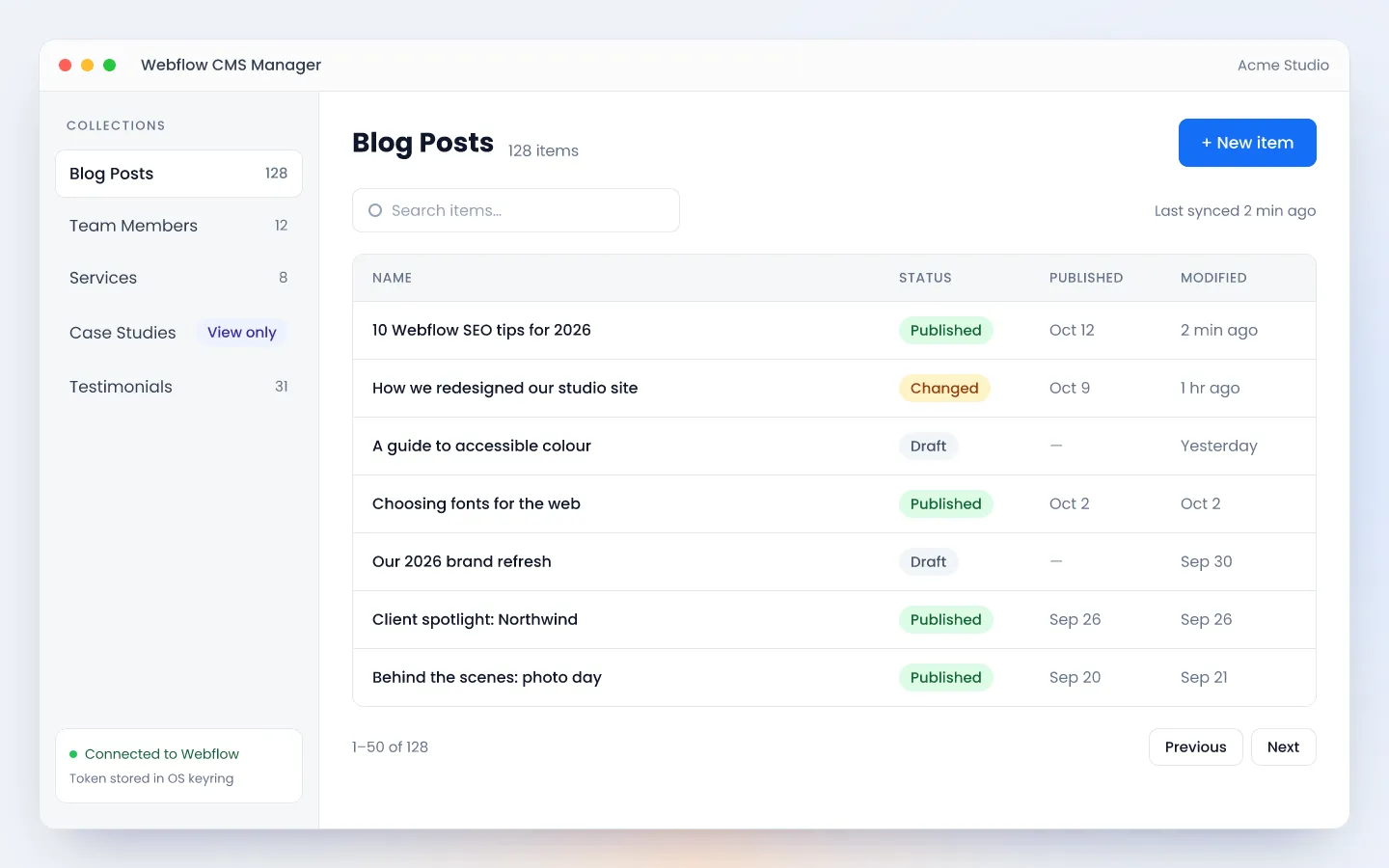
Find the content
Every CMS collection and all of its items, with search, sorting and a last-synced time.
- 3
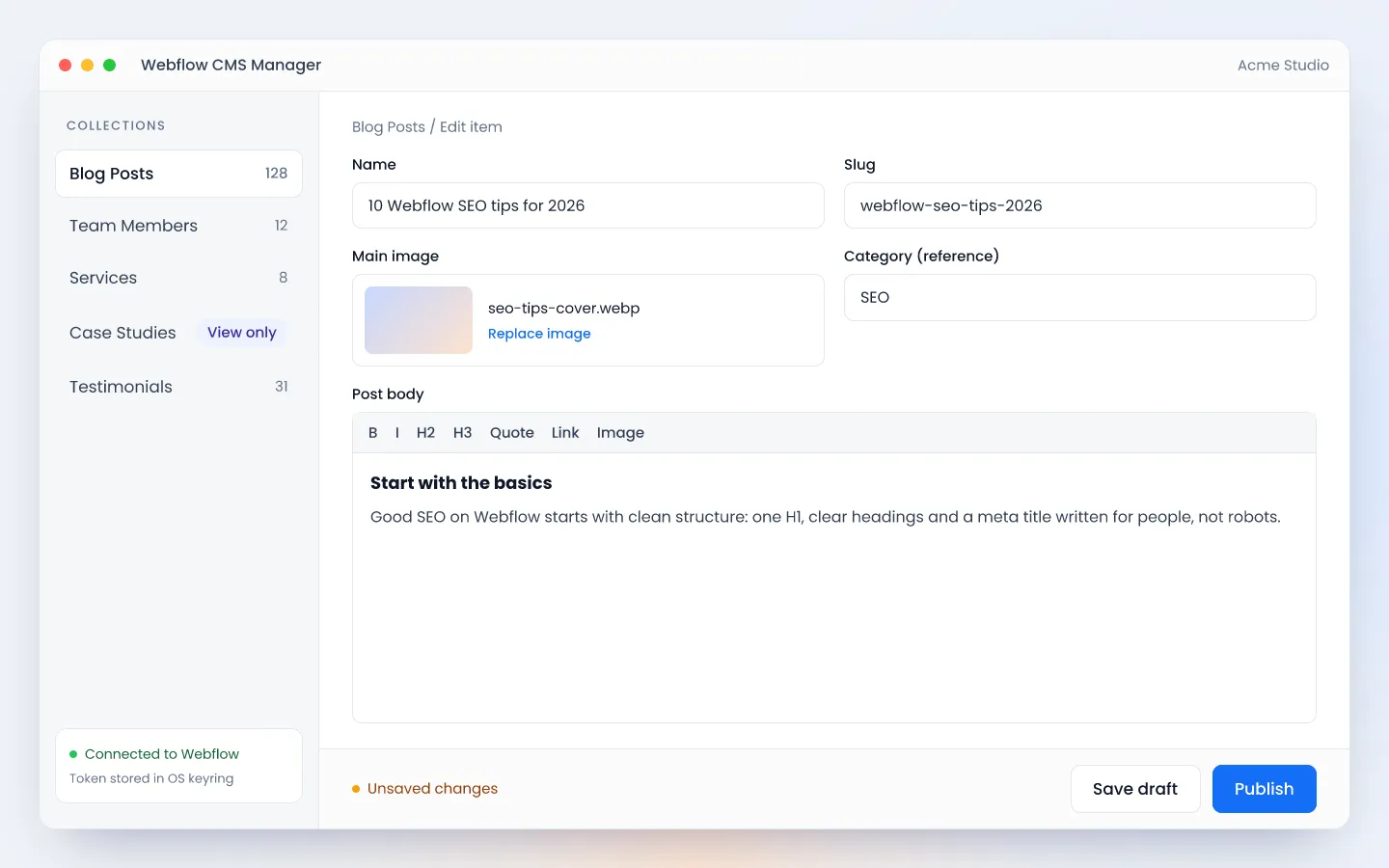
Edit in a simple form
Forms are built from each collection's own fields, from rich text and images to references.
- 4
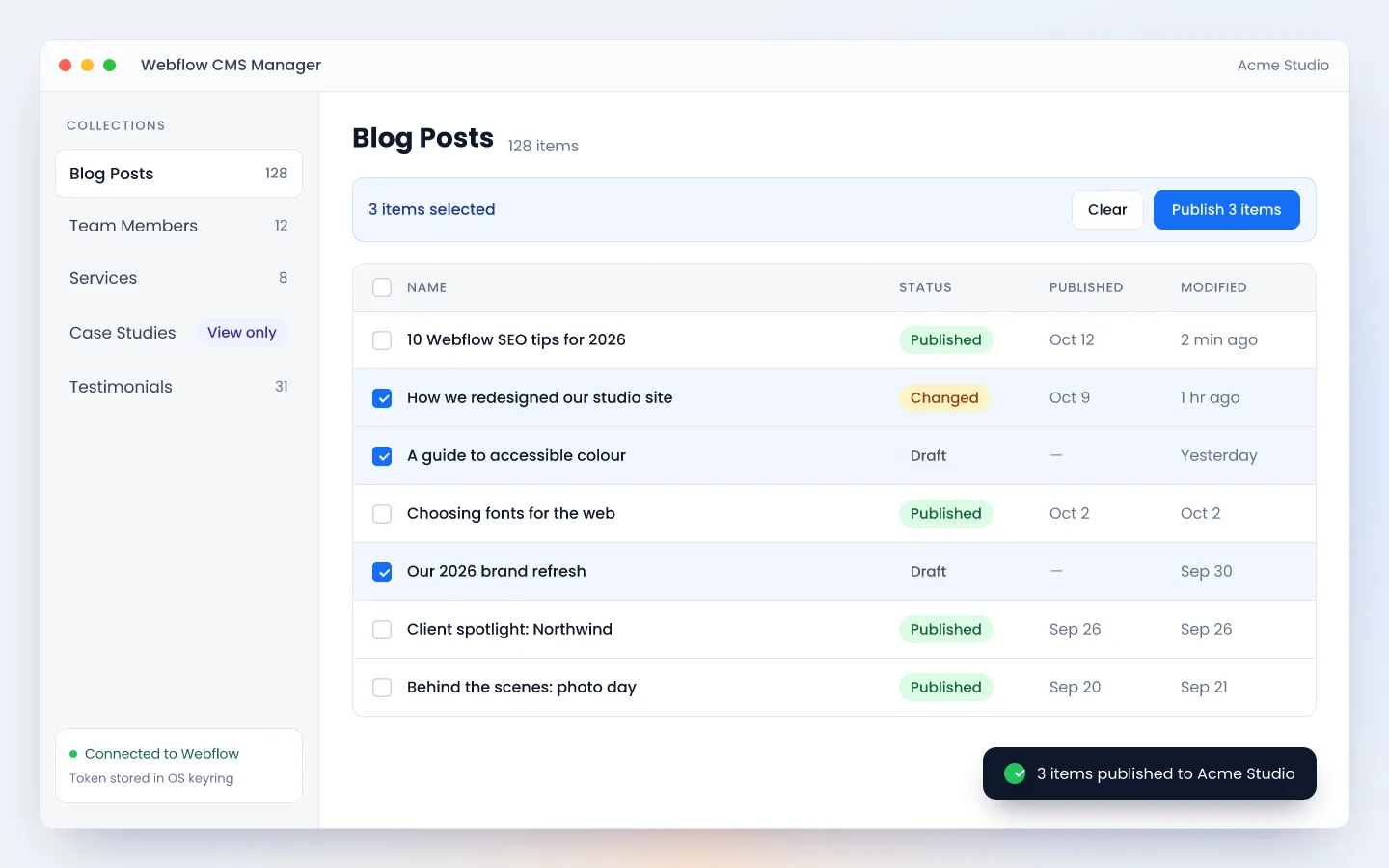
Save or publish
Save a draft, publish one item, or select several and publish them together.
Key Features
Every collection, every item
Lists all CMS collections and all their items, not just the first 100, 50 per page.
Search and sorting
Search items and sort by name, published date, status, created or modified, with a last-synced indicator.
Forms from your fields
Text, rich text, images, files, links, references and more, generated from each collection's schema.
Uploads to your asset library
Images and files upload straight to the site's Webflow asset library.
Draft, publish or bulk publish
Save as draft, publish a single item, or publish many selected items at once.
Per-client locking
Agencies can build an installer where chosen collections are view-only for that client.
Safe editing
Warns before closing a form with unsaved changes, and only CMS fields are editable, so the design can't break.
Rate limits handled
When Webflow's API rate limit is reached, the app retries automatically and shows a countdown.
Who it is for
Webflow CMS Manager is for agencies and freelancers who build sites on Webflow and hand them over to clients who only need to update content: blog posts, team members, services and case studies.
Giving a client full Webflow access means paying for an editor seat and trusting them inside a tool built for designers. Many clients find it confusing and can change things they shouldn’t. This app gives them one focused screen that edits only CMS content, while collections the agency locks stay read-only.
How it is built
- Tauri desktop app: a Rust backend with a lightweight HTML and JavaScript interface, so installers stay small compared with Electron apps.
- No server: the app calls the Webflow Data API directly. There is no hosting cost and no third party sees client data.
- Secure token storage: the API token lives in the operating system’s keyring (Windows Credential Manager, macOS Keychain or Linux Secret Service), never in a plain file.
- Tested on every push: 34 frontend tests, 10 backend tests and linting run on every push, and releases only build when they pass.
- Automatic installers: GitHub Actions builds Windows, macOS and Linux installers.
Benefits
| For | Benefit |
|---|---|
| Clients | A simple screen built for content, not design, so little training is needed |
| Clients | No Webflow login or editor seat; one API token does the job |
| Clients | Can’t break the layout or design, because only CMS fields are editable |
| Agencies | Fewer “please change this text” requests |
| Agencies | Control per client: lock collections the client shouldn’t touch |
| Agencies | No server to host or maintain; Webflow stays the single source of truth |
| Everyone | Data goes straight from the app to Webflow, and the token sits in the OS keyring |
| Everyone | Works the same on Windows, macOS and Linux |
Webflow CMS Manager vs alternatives
| Alternative | Where it wins | Where Webflow CMS Manager wins |
|---|---|---|
| Webflow Editor | Edits static pages too, with live on-page editing | No Webflow login or paid seat, simpler, per-client collection locks |
| Whalesync | Bulk editing in Airtable, Notion or Google Sheets | No subscription and no extra service holding client data |
| Zapier or Make | Connects Webflow to hundreds of other apps | Made for manual editing, with no per-task fees |
| Moving to another CMS | A familiar admin panel, such as WordPress | Keeps the Webflow site and design exactly as they are |
Limitations
Being open about what the app can’t do yet:
- No static page editing. Webflow’s API can’t change main-language content on static pages, so only CMS content is editable.
- Unsigned installers. Windows SmartScreen shows a warning, and Smart App Control or company policies can block the app. On a Mac, right-click the app and choose Open the first time.
- No live preview. Clients see changes on the website after publishing.
- Locks are set in the build. Changing a client’s locked collections means building a new installer.
- One token per user. There are no user accounts, roles or change history beyond what Webflow keeps.
- No automatic updates, translations or delete/archive yet. Webflow Localization isn’t supported, and the macOS build is for Apple Silicon only.
Roadmap
- Signing and updates: code-signed installers and automatic updates, so clients can install without security warnings.
- Static page support: closing the biggest gap with Webflow’s own editor.
- Scaling for agencies: features for agencies managing many clients.
Getting started
You need a Webflow site on a plan that includes the CMS, and a site API token with CMS and asset permissions, created in Site settings → Apps & integrations. Install the app, paste the token, pick the site and start editing. Each computer needs the token entered once.
If you’d like me to set it up for a client, with a custom installer, locked collections and a short training session, get in touch.
Frequently Asked Questions
What is Webflow CMS Manager?
Webflow CMS Manager is a free, open-source desktop app that lets clients edit and publish the CMS content of a Webflow site, such as blog posts, team members and case studies, without logging in to Webflow. It runs on Windows, macOS and Linux and uses the official Webflow Data API v2.
Do clients need a Webflow account or editor seat?
No. The app works with a site API token created in Webflow under Site settings, Apps and integrations. The client pastes it once, and the app stores it in the computer's secure keyring. The site still needs a Webflow plan that includes the CMS.
Can clients edit static pages with it?
Not yet. Webflow's API cannot change the main-language text, images or links on static pages, so the app edits CMS content only. Content that clients need to change can be moved into a CMS collection to make it editable.
Is client data sent to a third-party server?
No. There is no server in between. The app sends requests straight from the computer to Webflow's API, so content and the API token never pass through anyone else.
How does it compare with the Webflow Editor?
The Webflow Editor can also edit static pages and shows changes live on the page, but it needs a Webflow login and seat. Webflow CMS Manager is simpler, needs no seat, and lets an agency lock collections a client should not touch.